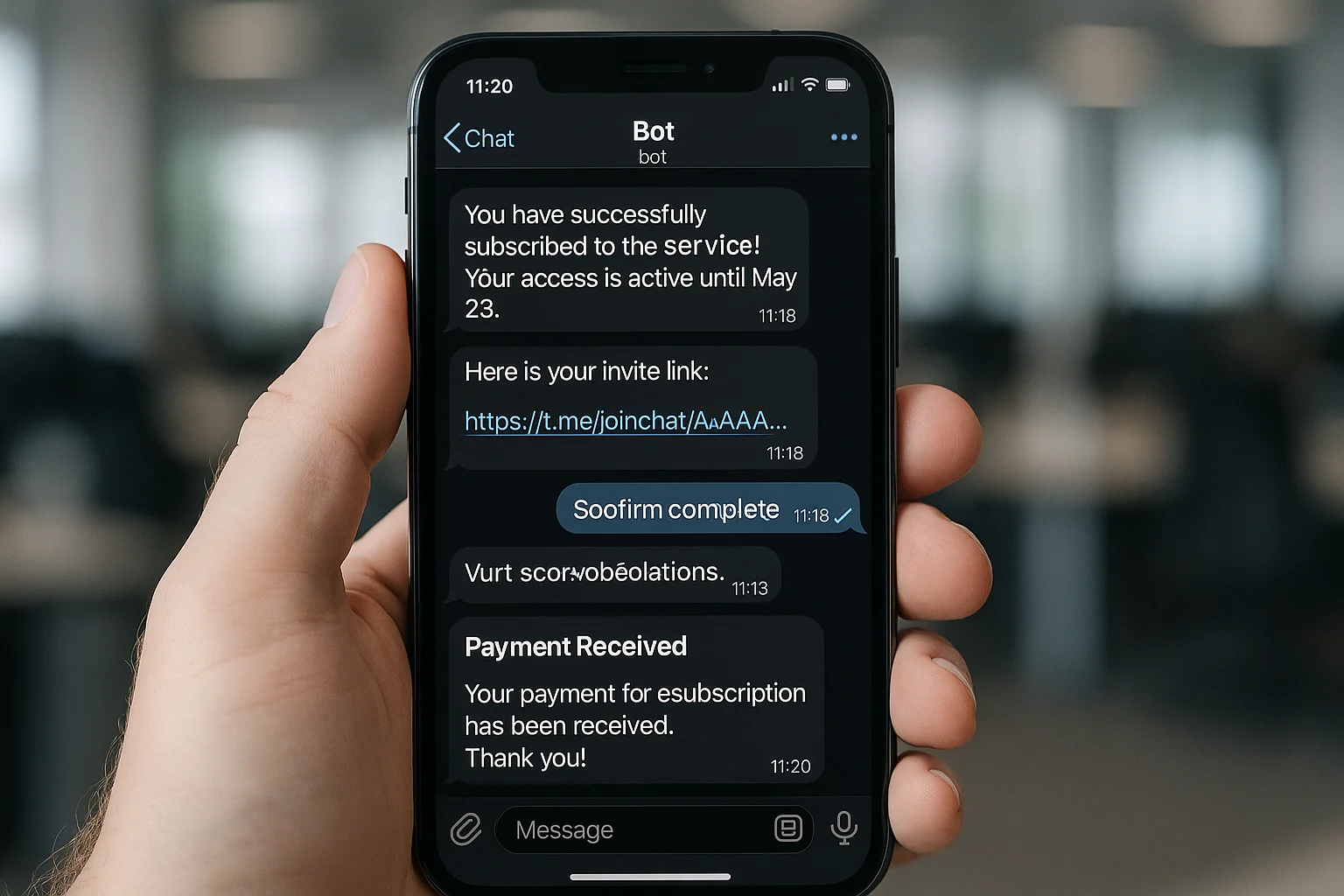
What Is a Telegram Subscription Bot?
A Telegram subscription bot automates paid access to a private Telegram channel or group. When someone subscribes and pays, the bot sends them an invite link. When they cancel or their payment fails, the bot removes them. No manual invite sending, no spreadsheet of who's paid, no checking members against a list every month.
This guide covers every part of the setup — from choosing the right tool to connecting it to Stripe to automating the full membership lifecycle.
How Telegram Subscription Access Works
At its core, a Telegram membership bot listens for payment events from your payment processor (usually Stripe) and acts on them:
- Payment succeeds — bot generates a unique, single-use invite link and sends it to the new member
- Subscription renews — bot confirms access remains active (no action needed)
- Subscription cancelled — bot removes the member at end of billing period
- Payment fails — bot starts a dunning sequence; removes access after grace period
- Refund issued — bot removes access immediately
The two ways to get this working: a third-party subscription bot service, or a custom automation built with n8n and Telegram's Bot API.
Telegram Subscription Bot Tools Compared
| Tool | Monthly cost | Revenue cut | Setup time | Custom logic |
|---|---|---|---|---|
| Subly | $0 | ~5% | 30 min | No |
| Combot | $15–$30 | 0% | 1–2 hours | Limited |
| Telegram Payments API | $0 | 0% | 2–4 hours | Limited |
| Custom n8n + Stripe | ~$8 (VPS) | 0% | 3–6 hours | Full |
Option 1: Third-Party Telegram Membership Bots
These services handle everything out of the box — you connect your Stripe account, set a price, and the bot manages invites and removals for you.
- Subly — purpose-built for paid Telegram channels. Connects to Stripe, handles invite link generation and removal automatically. No monthly fee but takes a percentage of each transaction. Best for operators who want to launch quickly with minimal setup.
- Combot — broader community management tool with subscription support for Telegram groups. Monthly flat fee rather than revenue percentage. Better value at higher MRR. Includes moderation and analytics alongside membership management.
- Telegram Payments API — Telegram's native payment system. Supports one-time payments natively; building subscription logic on top requires development work. Payment provider options vary by region.
Option 2: Build It With n8n (Recommended at Scale)
The n8n approach connects Stripe webhooks directly to Telegram's Bot API. Zero platform fee, complete control over every event. Here's how it works:
- Customer pays via your Stripe checkout page
- Stripe fires a webhook event to your n8n URL
- n8n parses the event, extracts their Telegram user ID from metadata
- n8n calls Telegram's
createChatInviteLinkAPI to generate a single-use link - n8n sends the link to the customer via bot DM or email
- On cancel or failed payment: n8n calls
banChatMemberto remove access
For the full technical setup including exact API calls and webhook configuration, see our Stripe Telegram Bot guide. For a complete walkthrough of setting up the paid channel itself, see how to set up a paid Telegram channel with Stripe.
Telegram Subscription Bot Pricing: What It Actually Costs
The cost depends on which route you take:
- Subly: No monthly fee, but ~5% per transaction. At $1,000 MRR that's $50/month. At $3,000 MRR it's $150/month.
- Combot: $15–$30/month flat fee, no revenue cut. Cheaper than Subly above $300–$600 MRR.
- Custom n8n: ~$8/month for VPS hosting. One-time setup cost (DIY: 4–6 hours; agency build: one-time fee). After that, $8/month forever regardless of revenue.
For any Telegram community past $500 MRR, the custom n8n route saves meaningful money within 2–3 months of use.
The Membership Lifecycle Your Bot Must Handle
A subscription bot that only handles successful payments is incomplete. Production coverage requires all these events:
- New subscription — generate single-use invite link, send to member, log their Telegram ID against their Stripe customer record
- Successful renewal — confirm access remains active (no action needed in most setups)
- Cancelled subscription — remove at end of billing period using
banChatMember - Failed payment — begin dunning sequence (reminders, card update link), remove after grace period
- Refund issued — immediate removal
- Member leaves channel voluntarily — flag it, decide whether to cancel their Stripe subscription or just note it
Preventing Invite Link Sharing
The biggest security leak in paid Telegram setups is shareable invite links. If you send a standard invite link, a paying member can forward it to anyone. Fix it two ways:
- Generate links with
member_limit: 1so each link can only be used once - Set
expire_dateto 24–48 hours from generation so stale links expire automatically
Combined, each link works for exactly one use within a short window. Even if someone shares the link, it's already expired or already used by the time they try it.
Handling Failed Payments Without Losing Good Members
Don't remove access the moment a Stripe payment fails. Cards decline for innocent reasons — expired card, temporary bank block, international transaction flag. A 7-day dunning sequence before removal recovers the majority of these without the member noticing:
- Day 0: Failed payment notification with card update link
- Day 3: Reminder email, clear warning about upcoming access removal
- Day 6: Final 24-hour warning
- Day 7: Remove from channel, send "access ended" message via bot DM
Stripe retries failed charges automatically on days 3, 5, and 7 by default. If a retry succeeds, your n8n workflow sees the invoice.payment_succeeded event and cancels the removal timer. Most involuntary churn resolves itself this way.
Building an Admin View
Once you have more than 50 members, you need visibility into the state of your subscriptions. At minimum, build a simple Airtable or Google Sheets view that your n8n workflow updates on every event — new member, cancelled member, failed payment, recovered payment. This lets you spot patterns (surge in cancellations, payment failure spike) before they become problems.
When to Use Which Setup
Under 50 members launching now: use a third-party service like Subly. Get live, start charging, validate demand. Above $500 MRR or 50+ members: move to the custom n8n approach. The platform fees you eliminate cover the setup cost within a few months, and you gain full control over every edge case.
Comparing options across platforms, not just Telegram? See our full see how it compares across Discord, Telegram, and Skool.
ShipWorkflow builds Telegram subscription bots end to end — Stripe integration, bot setup, invite link automation, cancellation workflows, and failed payment recovery. Talk to us if you want it running without the DIY work.