Most Discord community owners automate the wrong things first, or automate the right things in the wrong order, and end up with a patchy system that half-works.
This is the order that actually makes sense — based on what we've built across dozens of paid communities.
Start with payment-triggered role management
If you run a paid Discord community and you're still manually assigning roles after Stripe payments, this is your entire problem. Everything else is secondary.
When it's manual: a member pays, sits waiting, DMs you, you eventually log in, check Stripe, find them on Discord, assign the role. If you're asleep or busy, they wait hours. Some request refunds. Some just leave.
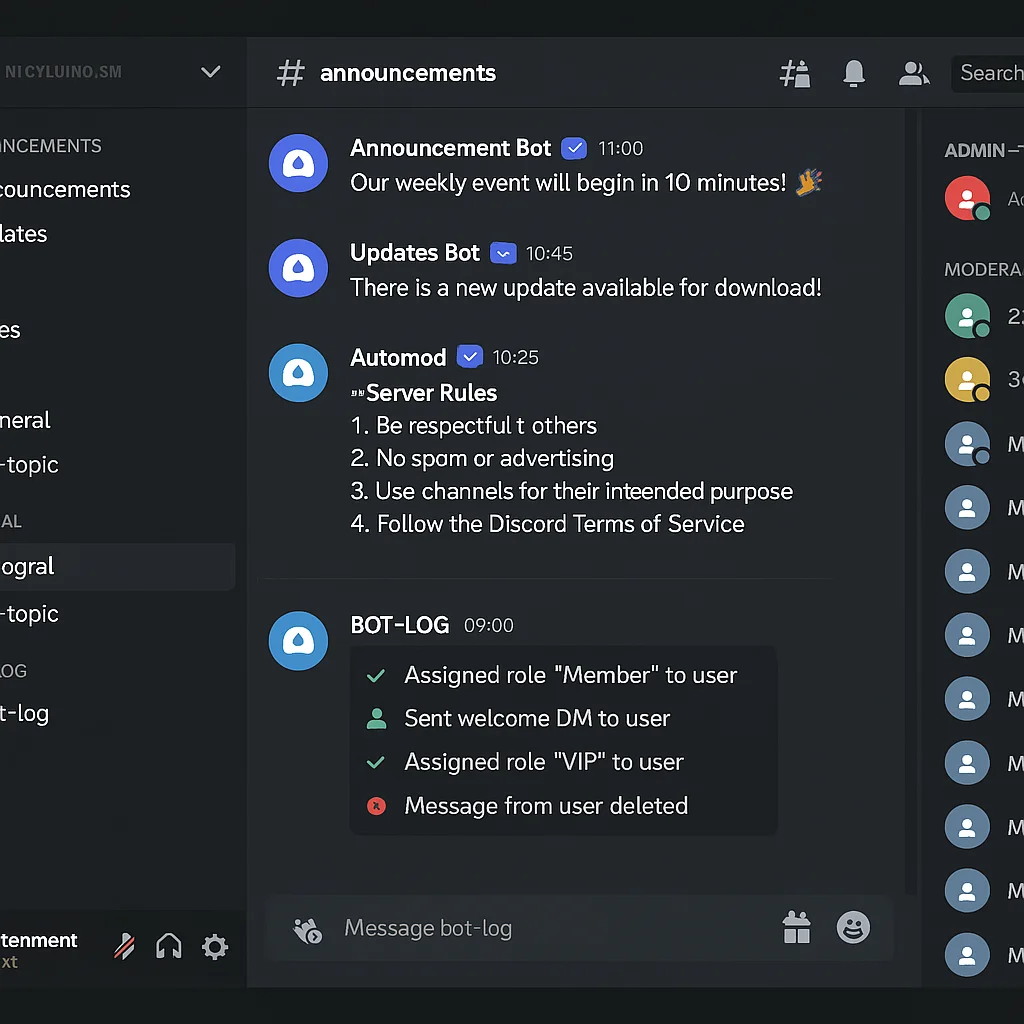
When it's automated: Stripe fires a webhook the moment the payment clears. n8n catches it, calls the Discord API, assigns the correct role, and sends a welcome DM — all within 2 seconds. The member doesn't wait. You don't touch it.
The same logic runs on cancellations. Subscription cancelled in Stripe → role removed in Discord within seconds. No spreadsheet audits. No members keeping access they're not paying for. We cover the exact workflow in our guide on automatically removing Discord members on cancellation.
Build this first. It's the highest-impact automation in any paid community, and everything else connects to it.
Member onboarding sequence
Role assignment gets them in. Onboarding keeps them.
A solid automated onboarding sequence does three things: it tells the new member exactly where to go and what to do first, it makes them feel like they've joined something professionally run, and it prompts early engagement before they go quiet.
The sequence we build for most clients:
- Immediate welcome DM with orientation — key channels, community rules, first action step
- 24-hour follow-up DM checking they've found everything
- Day 7 check-in pointing them to the most valuable content or community activity
This runs automatically for every member. Consistent every time, regardless of how busy you are the day they join.
Failed payment recovery
Stripe estimates 9% of subscription revenue is lost to failed payments. Most of those members didn't intend to cancel — their card expired, their bank flagged a transaction, their details changed.
An automated dunning sequence recovers a significant portion of that. When a payment fails, the sequence sends a DM via Discord and an email with a direct link to update payment details. If it's not resolved within your grace period (typically 3–5 days), the role is removed automatically and a win-back sequence begins.
One community we work with recovered 18% of previously lost monthly revenue within the first 30 days of having this live. It runs entirely without human involvement.
Scheduled announcements and engagement triggers
Once the membership lifecycle is automated, you can layer on consistency. Weekly announcements posted automatically on the right day. Community challenges launched on schedule. A prompt posted to a quiet channel if no one has posted in 48 hours.
This isn't about replacing genuine community management — it's about removing the manual admin that gets in the way of it. When you're not spending time on logistics, you can spend more time on the conversations that actually matter.
Automating a trading signals or crypto community
Paid signal communities have specific automation requirements beyond the standard membership lifecycle. Members expect instant access — delays of even a few minutes after payment undermine trust in a community where timing matters. Failed payment handling is also more sensitive: a member locked out during a live trade can cause real financial harm to them and reputational harm to you.
We've built the full stack for paid Discord trading communities — including signal formatting bots that take your alerts from a private channel and publish them to subscriber channels in a consistent format, automatically. See the full case study in our Discord trading signals automation guide.
What to use: n8n as the automation layer
Discord has a rich API. n8n connects to it directly, as well as to Stripe, your email platform, your CRM, and anything else in your stack. A Stripe payment can trigger a Discord role assignment, an email welcome sequence, a CRM record creation, and a Slack notification to your team — all in one workflow.
We use n8n over Zapier for all Discord automation we build. It's more flexible, significantly cheaper at scale, and can be self-hosted if data ownership matters to you. If you want to understand the full setup without writing code, see our no-code Stripe to Discord automation guide.
Choosing between LaunchPass, Whop, and building your own
Before you build automation in n8n, you need to decide where your payment layer sits. LaunchPass and Whop are the most popular third-party options — both handle Stripe integration and basic Discord role management without any setup. The trade-off is a revenue percentage (3–3.5%) that compounds as your community grows.
At under 100 members: use LaunchPass or Whop. The convenience is worth the fee. Past £1,500 MRR: the custom n8n approach saves meaningful money every month. We break down the full comparison in our Stripe Discord bot options guide and the LaunchPass alternative guide.
What a full system looks like
For a paid community with 300+ members, a complete automation stack handles:
- New member pays → role assigned → welcome DM sent → email sequence started → CRM updated
- Payment fails → DM and email sent → 4-day grace period → role removed if unresolved → win-back sequence triggered
- Subscription cancelled → role removed → offboarding email sent → 30-day re-engagement sequence
- Weekly announcement posted automatically every Monday → engagement report emailed to owner Friday
The owner's weekly time on community admin: under 2 hours, used only for actual community interaction — not logistics.
If you want to understand what this looks like for your community specifically, book a free strategy call. We'll walk you through what we'd build and what it would save you.