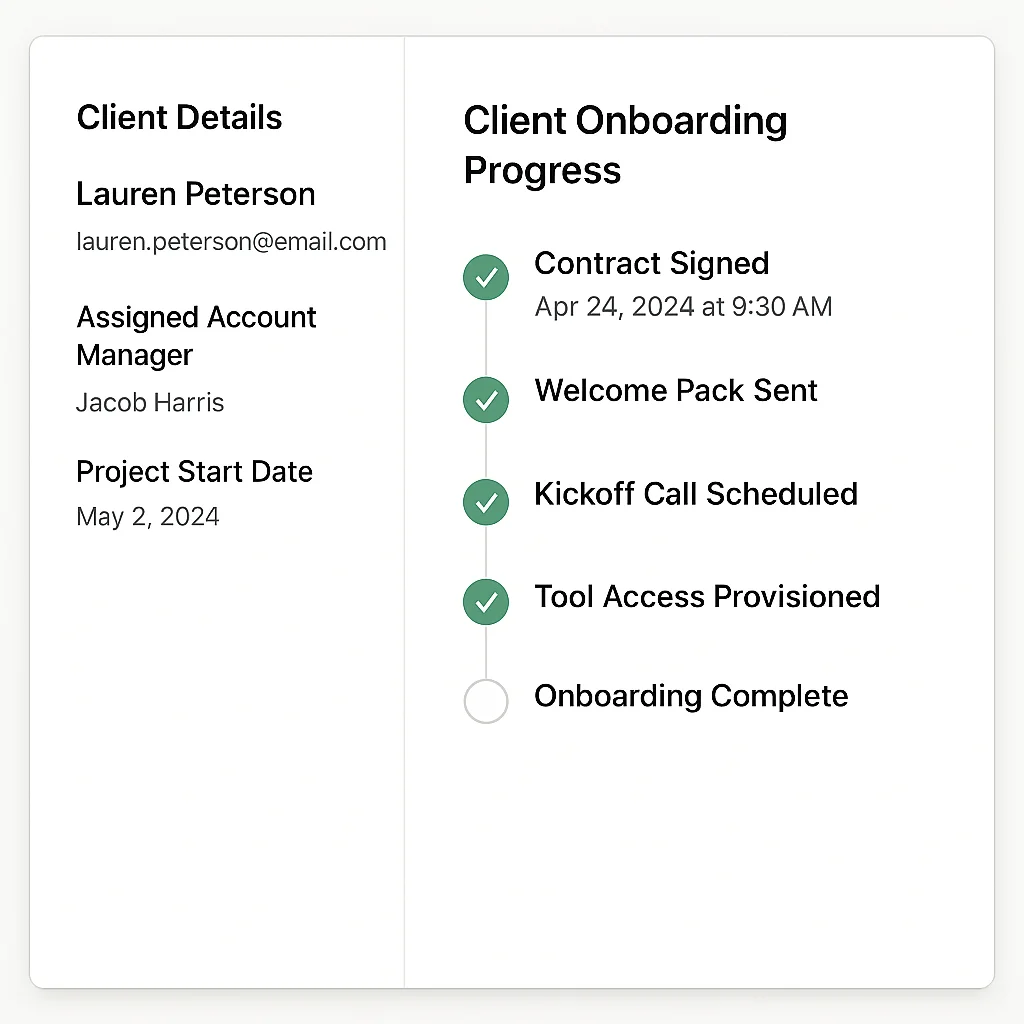
Client onboarding software is a broad category that means completely different things depending on who's selling it. A simple shared task list. A CRM pipeline with email sequences. An in-app guided tour. A fully automated system that provisions accounts, fires behaviour-based email sequences, syncs your CRM, and alerts your team when a customer stalls — with zero manual intervention required.
If you're evaluating options for your agency or SaaS business, this is the breakdown you need — what's actually available, which approach fits which situation, how the tools compare on real 2026 pricing, and when you're better off building something custom.
High-touch vs low-touch: the split that determines which tool is right
Before comparing tools, you need to know which category of onboarding you're running. Every client onboarding tool on the market is built for one of two modes:
High-touch onboarding involves a human on your side guiding the client through a multi-week process — document exchange, kickoff calls, access provisioning, approvals, stakeholder coordination. Used by agencies, professional services firms, enterprise SaaS with dedicated customer success managers.
Low-touch onboarding is largely automated and self-serve. The client completes steps on their own, triggered emails guide them through setup, and your team only gets involved when something stalls. Used by product-led SaaS companies, subscription services, communities.
Most tools are built for one or the other. Using a high-touch tool for a low-touch process means paying for features you don't need and adding friction. Using a low-touch tool for a high-touch process means flying blind with no visibility into where projects are stuck. Match the tool to the mode.
The four categories of client onboarding software
Category 1: Client portal and checklist tools
These give both your team and the client a shared workspace with a visible list of onboarding steps. Tasks are ticked off as completed. Files, comments, and contracts can be attached. Progress is visible to both sides. The client always knows what's next; your team always knows where things are stuck.
Best tools in this category:
- Rocketlane — the most fully-featured option. Purpose-built for post-sale onboarding with project management, financial tracking, resource planning, and shared client workspaces. Starts at $19/user/month (5-user minimum, so ~$95/month minimum). Their 2026 updates added agentic AI capabilities for automating repetitive project tasks. Strong choice if onboarding is a revenue-driving operation for you.
- GUIDEcx — focused on client visibility and accountability. Gives clients real-time dashboards and automated reminders so they complete their onboarding tasks without you chasing them. Added AI risk-spotting in 2026 that flags which projects are likely to stall before they do. Pricing on request.
- Arrows — HubSpot-native. If your entire operation runs on HubSpot, Arrows is the cleanest choice because onboarding tasks sync directly with deals, contacts, and lifecycle stages — no duplicate data entry. Pricing on request (typically $500+/month at scale). Requires HubSpot.
- Dock — clean, flexible client portals. No login required for clients. Shared links give clients access to onboarding steps, documents, and resources. Starts at $350/month for 5 users — expensive for small teams, but the no-login client experience is genuinely better than competitors.
- OnRamp — dual-interface: a customer portal for clients, a centralized project management layer for your team. Good for teams that want both sides covered in one tool without the PSA-level complexity of Rocketlane.
Good for: Agencies and service businesses where onboarding genuinely requires back-and-forth — legal, creative, marketing, consultancies, professional services. The collaboration is real and the visibility matters.
Where it breaks down: These are task managers, not automation systems. A task being marked complete doesn't trigger anything else downstream. No CRM sync. No behaviour-based email sequences. No connection to your payment processor. Human effort is required at every step — which is right when that's what the process needs, and expensive when it isn't.
Category 2: Agency-specific onboarding tools
A subset of the category above, built specifically for digital agencies dealing with the particular friction of onboarding marketing clients.
- Leadsie — solves a specific and painful agency problem: getting access to client ad accounts, social media, analytics, and website platforms. Instead of back-and-forth emails and manual access requests, you send a single secure link. The client grants all the permissions in one step. Built for marketing agencies. Pricing from ~$39/month. If access collection is your biggest onboarding bottleneck, this is the tool.
- Agency Handy — order forms, intake forms, invoicing, task creation, and client portal in one system. When a client selects a service package, it automatically creates the relevant tasks for your team. Starts at $19/month. Good for productized agencies and freelancers.
- HoneyBook — proposals, contracts, invoices, and client communication in one platform. Aimed at creative agencies and solopreneurs. Automates the administrative handoff between proposal accepted and project started. From $19/month.
- Ignition — strong on proposals, contracts, and recurring billing. Particularly popular with accounting and financial services firms. Automates the point between engagement signed and work started.
Category 3: CRM-native onboarding sequences
HubSpot, Salesforce, and Pipedrive all support onboarding workflows natively. Deal stage changes trigger email sequences, tasks get assigned to team members, and progress is tracked in the pipeline view.
Good for: Sales-led SaaS companies and agencies already running operations primarily inside HubSpot or Salesforce. Everything stays in one place, reducing context-switching.
Where it breaks down: CRM sequences are time-based, not behaviour-based. HubSpot can send an email 3 days after deal close. It cannot query your product database to check whether the customer has actually activated their account. For onboarding that needs to respond to what a customer does — rather than when they signed up — CRM-native tools hit a ceiling fast.
Category 4: Product-led in-app onboarding tools
Tools like Intercom, Appcues, Userpilot, and Pendo deliver onboarding inside your product — tooltips, guided tours, in-app checklists, modals triggered by behaviour within the product interface.
Good for: Product-led SaaS with self-serve onboarding where the primary experience happens inside the product. High-volume, low-touch, behaviour-triggered.
Where it breaks down: These tools cover the in-product layer but don't connect to your external stack — your CRM, email platform, or account provisioning system. They're one layer of a full onboarding stack, not the complete solution. Appcues starts at $249/month; Intercom from $74/month. Often expensive for what they deliver if your onboarding doesn't genuinely require in-app guidance.
Category 5: Custom automation-driven onboarding
A system built on n8n (or similar automation infrastructure) that connects every layer: payment confirmation triggers account provisioning, behaviour-conditioned email sequences fire based on actual product usage, CRM syncs automatically, and your team gets alerted when a customer stalls — all without manual intervention.
Good for: SaaS companies and agencies where off-the-shelf tools hit limitations. Where onboarding sequences need to respond to actual behaviour rather than time elapsed. Where provisioning is currently manual and causing delays. Where CRM data is perpetually out of date because no one updates it.
Where it requires caution: Requires upfront build investment and 2–4 weeks to design and deploy properly. Not the right choice if your onboarding is genuinely simple and a checklist tool covers it adequately.
Tool comparison: client onboarding software at a glance (2026)
| Tool | Best For | Automation Level | Approx. Monthly Cost | Behaviour-Based? |
|---|---|---|---|---|
| Rocketlane | SaaS, professional services | Medium (project-based) | From $95/month (5 users) | No |
| GUIDEcx | B2B SaaS, complex implementations | Medium + AI risk flags | Pricing on request | No |
| Arrows | HubSpot-centric teams | Medium (CRM-conditional) | $500+/month | Partly (HubSpot properties) |
| Dock | Teams needing clean client portals | Low–Medium | From $350/month | No |
| Leadsie | Marketing agencies (access collection) | Medium (access automation) | From ~$39/month | No |
| Agency Handy | Productized agencies, freelancers | Medium | From $19/month | No |
| HoneyBook | Creative agencies, solopreneurs | Medium | From $19/month | No |
| HubSpot Sequences | Sales-led SaaS, agencies on HubSpot | Medium (time-based) | Included in HubSpot | No |
| Intercom | Product-led SaaS | High | From $74/month | Yes (in-product only) |
| Appcues | In-app guided onboarding | Medium | From $249/month | Yes (in-product only) |
| Customer.io | Email-layer automation | High (behaviour-based) | From $100/month | Yes |
| Custom n8n system | SaaS + agencies needing full control | Very High | ~$10–50/month (infra only) | Yes |
Client onboarding software for agencies vs SaaS: different problems
The right tool depends heavily on whether you're an agency or a SaaS company, because the underlying problems are fundamentally different.
Agencies typically onboard one client at a time, with a process that involves document exchange, kickoff calls, access provisioning across multiple tools, and coordination between internal teams and client stakeholders. The bottleneck is usually coordination and communication — not automation. A structured checklist tool (Rocketlane, Dock, OnRamp) solves a real problem here because the process genuinely requires human collaboration.
The exception: the repeatable administrative steps that don't require collaboration but are still done manually — sending the same welcome email, creating the same folder structure, requesting the same tool accesses, updating the CRM. Those steps should be automated even if the rest of the process isn't. A hybrid approach — portal tool for collaboration, n8n for the repeatable admin — is usually the right answer for agencies above £500k ARR. Our guide to agency client onboarding automation covers exactly how to build this layer.
Marketing agencies specifically have an additional bottleneck: getting access to client ad accounts, analytics, and CMS platforms. This is where Leadsie earns its keep — it collapses a process that normally takes 3–5 emails over several days into a single link the client clicks once.
SaaS companies onboard dozens or hundreds of customers simultaneously. Manual coordination doesn't scale. The entire flow needs to be automated, and — critically — it needs to respond to what customers actually do inside the product, not just how many days have passed since signup. This is where CRM-native tools hit their ceiling and custom automation earns its cost. See our breakdown of how to build a SaaS onboarding workflow in n8n for the technical approach.
The client onboarding stack for consultants and small agencies
If you're a consultant or small agency (under 10 active clients at once), the pragmatic stack is:
- Notion, ClickUp, or Dock — client-facing project portal with a visible onboarding checklist. Keeps both sides aligned without needing separate tools.
- Leadsie (if you're a marketing agency) — handles ad account and platform access collection in one link.
- HoneyBook or Ignition — proposal, contract, and payment in one flow. No separate e-sign tool needed.
- n8n or Zapier — trigger the welcome email, create the project folder, add the client to your tools, and update your CRM the moment a contract is signed.
- Your email platform — a 5-email onboarding sequence covering what to expect, first action required, and week-one check-in.
This stack costs under £100/month to run and eliminates the manual admin that typically eats the first 3–5 hours of every new client engagement.
How to choose: the one question that matters
Ask yourself: does your onboarding need to progress because a human took an action, or because a customer took an action?
If the answer is human — a team member needs to review, approve, or respond before the next step can happen — a checklist/portal tool is right. That's a genuine collaboration requirement and tools like Rocketlane, GUIDEcx, and Dock are built for it.
If the answer is customer — the sequence should advance when the customer activates their account, completes a setup step, or hits a usage milestone — you need behaviour-based automation. CRM sequences and checklist tools can't do this. Custom automation can, at a fraction of the monthly cost of enterprise onboarding platforms.
Most growing SaaS companies need the latter and are using the former because it was easier to set up three years ago. The cost shows up in conversion and retention rates they're not hitting.
If you want to understand what the right onboarding system looks like for your specific business, book a free strategy call. We'll audit your current process and tell you exactly what we'd build and what it would save you.