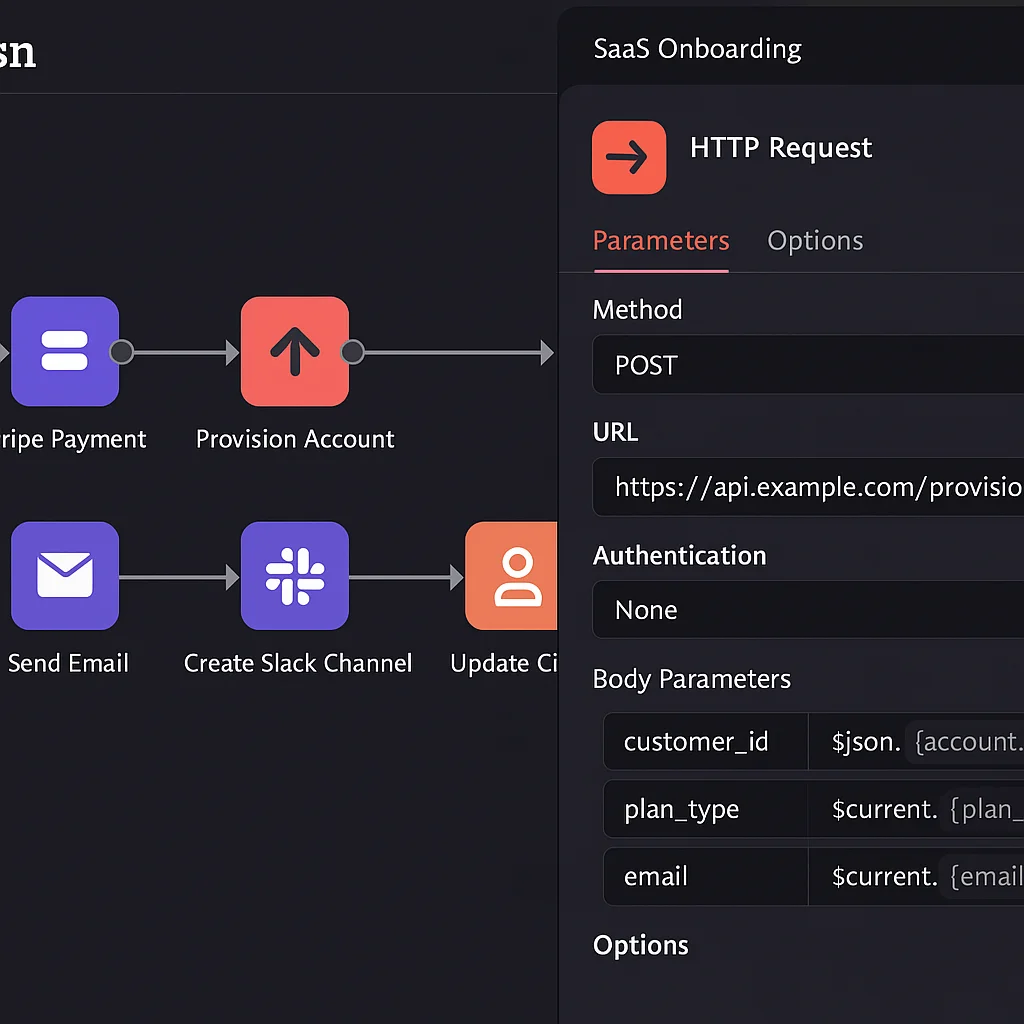
If you've decided to build a SaaS onboarding workflow and you're looking at n8n as the tool to do it, this post covers what you actually need to know — not what a feature overview tells you, but what building and running it in production looks like.
Why n8n for SaaS onboarding
SaaS onboarding automation has two requirements that most no-code tools can't properly meet: it needs to connect to your product's internal data (usage events, login timestamps, feature activations), and it needs to handle conditional logic that branches based on that data.
Zapier can't query your product database mid-workflow. Make can get close but hits limits on complex conditional branching. n8n supports both — HTTP Request nodes call any API, Code nodes run custom JavaScript against the response data, and Switch nodes branch the workflow into as many paths as your logic requires.
For onboarding automation specifically, this means: a customer who completed the first setup step gets email A; a customer who hasn't completed it after three days gets email B; a customer who's been inactive for five days generates a Slack alert to the account manager. All three paths run from the same workflow, triggered by the same timer, but conditioned on real-time product data.
The core workflow architecture
A SaaS onboarding workflow in n8n typically has three types of triggers:
Event-based triggers — a Stripe webhook fires when a payment is confirmed, or your product sends a webhook when a new account is created. These trigger immediate onboarding actions: provisioning, welcome email, CRM record creation.
Scheduled triggers — a workflow runs daily and queries your customer database for anyone in an onboarding state. For each customer, it checks their current milestone stage and either fires the next step or escalates if they've stalled.
Product event triggers — your product sends a webhook when a user hits a key milestone (first project created, first report generated, first integration connected). n8n catches it and fires a milestone celebration email and updates the CRM stage immediately.
These three types work together. The event trigger starts the sequence. The scheduled trigger keeps it moving and catches stalls. The product event trigger responds in real time to what the customer actually does.
Building the milestone check
The scheduled daily workflow is where most of the onboarding intelligence lives. For each customer in an onboarding state, the workflow:
- Queries your product database or API for their current usage data
- Evaluates their milestone stage (not started, step 1 complete, step 2 complete, etc.)
- Calculates days since signup
- Routes to the correct branch via a Switch node: send next step email, send re-engagement email, create Slack alert, or mark onboarding complete
The Switch node conditions are built on combinations of milestone stage and time elapsed. A customer at step 1 after Day 2 gets a different response than a customer still at step 1 after Day 5. Exact thresholds are defined by your onboarding data — what day does engagement typically drop off? That's where escalation should trigger.
Connecting to your email platform
n8n connects to ActiveCampaign, Customer.io, ConvertKit, and most other email platforms via HTTP Request nodes using their APIs. For each email action in the onboarding workflow, n8n either triggers a pre-built sequence in your email platform or sends a direct transactional email via the platform's API.
We recommend using your email platform for sequence management (so marketing can edit copy without touching the n8n workflow) and n8n for the routing logic (which customers go into which sequence and when). Clean separation of concerns.
Error handling
Every production onboarding workflow needs error handling. When an API call to your product database fails, or your email platform returns an error, or a webhook payload has an unexpected structure — the workflow should catch it, log it, and alert you. Not fail silently.
In n8n, this is built with error trigger workflows that fire when any execution fails. The error workflow logs the failure details to Airtable and sends a Slack notification with enough context to diagnose the issue. This is non-negotiable for a workflow handling every new paying customer.
If you want your SaaS onboarding workflow built properly in n8n, book a free strategy call. We design the architecture, build and test it with real data, and hand it over with full documentation.