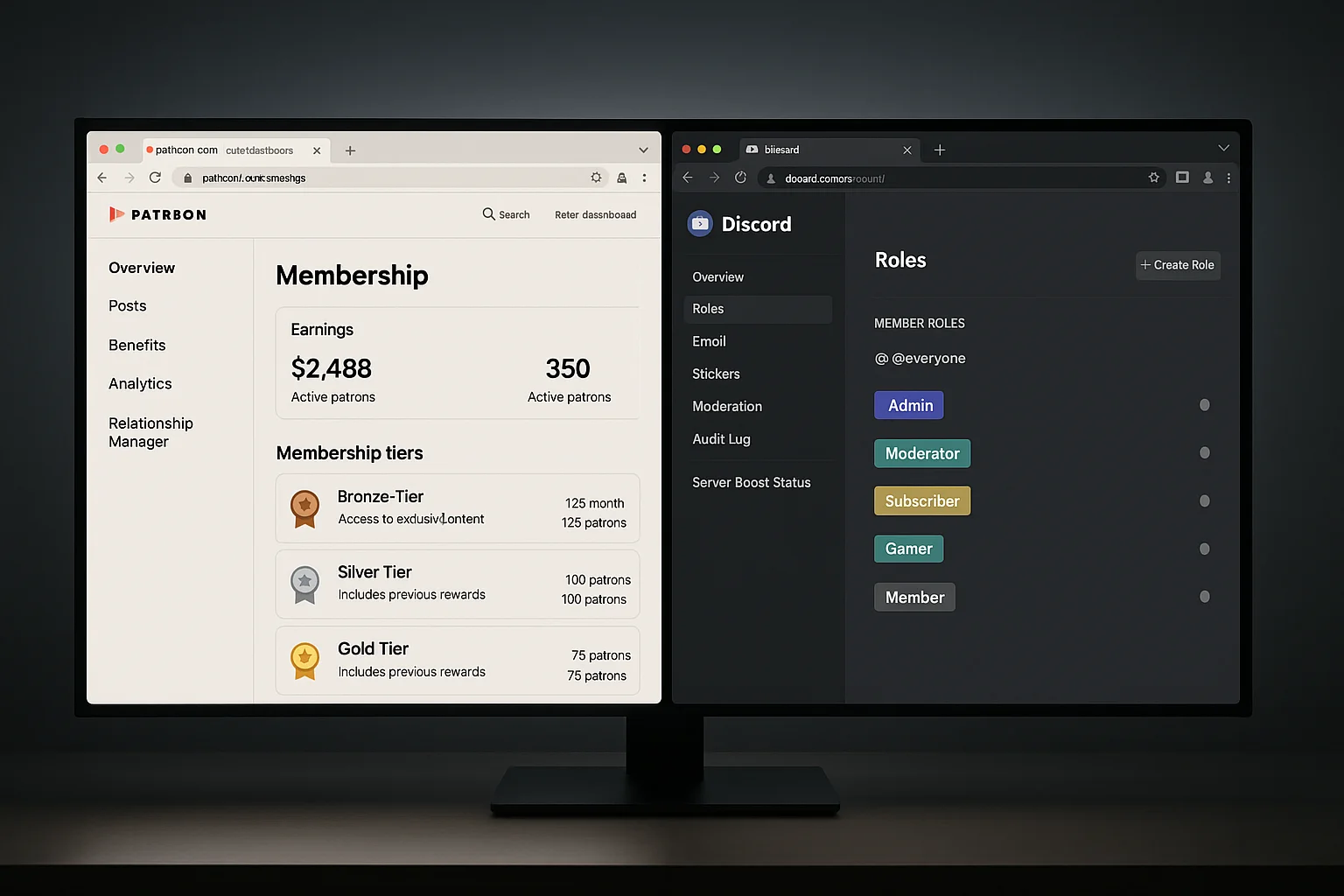
Patreon vs Discord: The Core Difference
Patreon and Discord serve fundamentally different functions, but they get compared constantly because creators use both together — and then realise they'd rather consolidate.
Patreon is a membership billing and content publishing platform. Discord is a real-time community platform with no native billing. The "Patreon Discord integration" that most creators use is exactly that: a workaround that ties Patreon's payment system to Discord's access controls, requiring members to stay active on both platforms simultaneously.
The problem isn't the integration itself — it's the fee structure and platform dependency that comes with keeping Patreon in the stack when all you really want is paid Discord access.
Patreon vs Discord: Head-to-Head Comparison
| Feature | Patreon | Discord (with connector) |
|---|---|---|
| Built-in billing | Yes | No — needs LaunchPass, Whop, or custom Stripe |
| Community experience | Posts + comments (limited) | Real-time chat, voice, threads, channels |
| Marketplace discovery | Yes | Only via Whop |
| Platform revenue cut | 8% (Pro), 12% (Premium) | 0–3.5% depending on connector |
| Content hosting | Posts, videos, audio | Discord only (no native hosting) |
| Member-facing app | Patreon app | Discord app (better engagement) |
| Platform dependency risk | High (Patreon terms + fees can change) | Low (own your Stripe relationship) |
| Checkout customisation | Limited | Full control with custom Stripe setup |
| Role-based access tiers | Via Patreon tiers + Discord sync | Native Discord roles, fully customisable |
Who Should Stay on Patreon
Patreon still makes sense in specific situations:
- Content-first creators — if your value is posts, videos, and audio files rather than live community interaction, Patreon's content hosting is genuinely useful.
- Marketplace-dependent discovery — if a meaningful portion of your new members find you through Patreon's browse feature, the 8% fee may be worth it for the acquisition channel.
- Creators not yet on Discord — if your audience isn't already active on Discord, migrating them adds friction you may not need.
Who Should Leave Patreon for a Discord-Native Setup
The move makes sense when:
- Your community's value is in real-time interaction — chat, voice, trading alerts, accountability calls — not passive content consumption.
- You're paying Patreon 8–12% and your audience is already in Discord anyway.
- You want to own your member relationships directly via Stripe rather than through a platform intermediary.
- You're above $1,000 MRR and every percentage point of fee reduction compounds significantly.
The Best Patreon Alternatives for Discord Communities
Option 1: LaunchPass (Closest Direct Replacement)
LaunchPass is the most direct Patreon alternative for Discord communities. It gives you a hosted payment page, connects to Stripe, and handles Discord role assignment automatically on payment and role removal on cancellation.
What Patreon has that LaunchPass doesn't:
- Built-in creator discovery marketplace
- Patron-facing content feed and app
- Integrated digital product delivery (posts, audio, video)
What LaunchPass has that Patreon doesn't:
- Zero platform interference with your community
- Direct Stripe payouts — faster settlement, more control
- No content policies or creator guidelines governing your posts
- Full Discord-native experience — members live in Discord, not split between Patreon and Discord tabs
Cost comparison: LaunchPass charges $29/month + 3.5% of revenue. Patreon Pro charges 8% of revenue with no monthly fee. At approximately $580/month MRR, they cost the same. Above that, LaunchPass is cheaper — until you hit $1,500+ MRR where a custom build is even better.
Option 2: Whop (Marketplace + Discord Bot)
Whop is a broader digital product marketplace that includes Discord community access as a built-in feature. Unlike LaunchPass, Whop has a marketplace where new members can discover your community — similar to Patreon's browse function.
Whop takes 3% + Stripe fees. No monthly fee. Best choice if discovery matters and you want to bundle Discord access with other digital products (courses, templates, files).
Option 3: Custom Stripe + n8n (Own the Full Stack)
The most complete alternative: your own Stripe checkout, connected to Discord role management via n8n webhooks. Zero platform dependency. Zero revenue cut beyond Stripe's standard rate (2.9% + 30¢).
You control the checkout experience, pricing, trial logic, cancellation flow, dunning sequences, and every edge case. Setup takes 3–4 hours if you're technical, or is outsourced to an agency. This is the right choice if you're past $1,500–$2,000 MRR and want to own your infrastructure permanently.
See our full Stripe Discord integration guide and Stripe Discord bot comparison for setup details.
Fee Comparison at Real MRR Levels
| MRR | Patreon Pro (8%) | LaunchPass (3.5% + $29) | Whop (3%) | Custom n8n (~$8/mo) |
|---|---|---|---|---|
| $500 | $40 | $46.50 | $15 | $8 |
| $1,000 | $80 | $64 | $30 | $8 |
| $2,000 | $160 | $99 | $60 | $8 |
| $5,000 | $400 | $204 | $150 | $8 |
| $10,000 | $800 | $379 | $300 | $8 |
At $10,000 MRR, Patreon costs $800/month in platform fees alone. A custom Stripe + n8n setup costs $8. The delta — $792/month — is $9,504/year in savings.
Migrating Members From Patreon to Discord
If you're actively leaving Patreon, here's how to migrate cleanly without unnecessary member loss:
- Export your Patreon patron list (email, tier, active status)
- Set up your new Discord payment system (LaunchPass, Whop, or custom Stripe)
- Email your patrons with a clear migration offer — same price, better community experience
- Give a 2–4 week overlap window where both platforms remain active
- Offer a small incentive for early migrants (one month free, exclusive role, early access to something)
- After the window: close Patreon to new members or set it to paused
Expect to lose 10–20% during migration. That's normal and expected. The members who migrate are your most engaged. The ones who don't were likely churning regardless. The resulting community is typically higher retention and more active than the pre-migration Patreon base.
Which Alternative Is Right for You
- Discovery is important and you're under $2,000 MRR: Whop — lower fees than Patreon and LaunchPass, plus marketplace upside.
- You want the simplest possible Patreon swap: LaunchPass — setup in 30 minutes, familiar role-based model.
- You're above $1,500–$2,000 MRR and want to own your stack: Custom Stripe + n8n. The fee savings alone justify the build cost within 1–2 months.
- Content publishing is still important: Hybrid approach — keep Patreon for content, use a separate Discord setup for community. Not ideal long-term, but manageable during a transition.
ShipWorkflow builds and maintains the custom Stripe + Discord infrastructure for paid community operators leaving platforms like Patreon. Talk to us if you want it done properly.