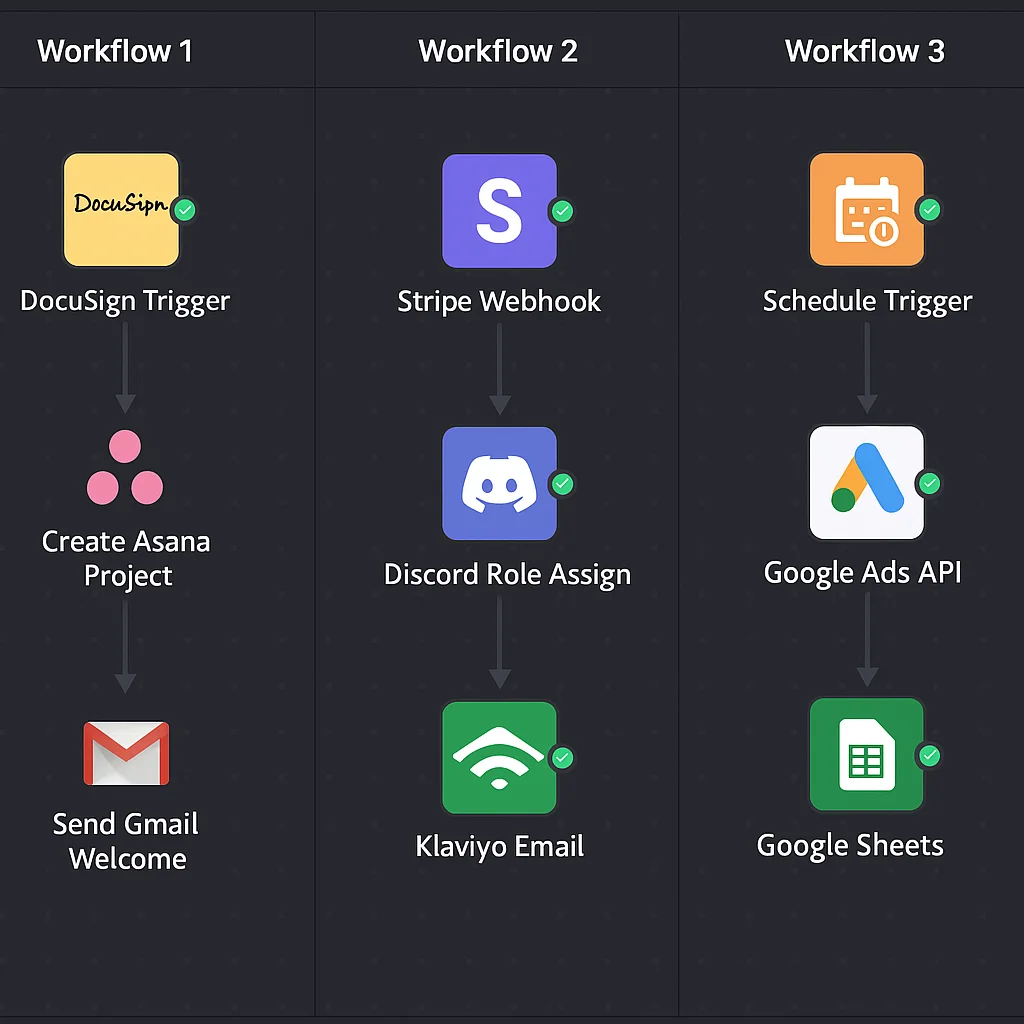
The best way to understand what n8n can do isn't a feature list — it's seeing real workflows built for real use cases. Here are six production examples across the most common automation categories we build at ShipWorkflow.
1. Paid community membership lifecycle
Trigger: Stripe checkout.session.completed webhook
What it does: Verifies the webhook signature → extracts customer email → looks up Discord user ID from Airtable member database → calls Discord API to assign the correct tier role → sends a personalised welcome DM → adds the member to an email onboarding sequence in ConvertKit → creates a member record in Airtable with join date, tier, and Stripe customer ID.
Why it matters: A member pays at 2am and has full Discord access before they finish reading the payment confirmation. The owner doesn't touch it.
2. Agency client onboarding
Trigger: DocuSign webhook — all parties signed
What it does: Extracts client name, email, and project type from the signing payload → creates a new project in Asana using the relevant project template → sends a personalised welcome email via Gmail → delivers the onboarding questionnaire link → creates a Slack channel named for the client → notifies the assigned team member → updates the HubSpot contact to Active Client status.
Why it matters: A 12-person agency was spending 3 hours per new client on manual onboarding. This workflow handles it in under 60 seconds.
3. Automated weekly reporting
Trigger: Schedule — every Friday at 7am
What it does: Pulls performance data from Google Ads API, Meta Marketing API, and GA4 → formats it into a structured report template → populates a Google Doc with the data → converts it to PDF → emails it to the client with a personalised subject line → logs the report send in Airtable.
Why it matters: An agency with 15 clients was spending 6 hours every Friday on reporting. This workflow eliminated it entirely.
4. Lead enrichment and CRM entry
Trigger: Typeform contact form submission webhook
What it does: Receives the form submission → calls Apollo.io API to enrich the lead with company size, industry, LinkedIn URL, and estimated revenue → scores the lead based on enrichment data → if score above threshold, creates a HubSpot contact and deal in the correct pipeline stage → sends an internal Slack notification to the sales team → triggers a personalised email follow-up sequence → if score below threshold, adds to a nurture list.
Why it matters: Every qualified lead gets immediate, consistent follow-up. No lead sits uncontacted because someone was busy.
5. Failed payment recovery
Trigger: Stripe invoice.payment_failed webhook
What it does: Identifies the affected member in the Airtable database → sends a personalised Discord DM with a direct link to update payment details → sends a follow-up email via ConvertKit → sets a 4-day timer using n8n's wait node → after 4 days, calls Stripe API to check payment status → if still failed: removes Discord role, sends offboarding email, starts win-back sequence → if recovered: sends confirmation DM, logs recovery in Airtable.
Why it matters: One community recovered 18% of previously lost monthly revenue within 30 days of this workflow going live.
6. eCommerce post-purchase sequence trigger
Trigger: Shopify orders/paid webhook
What it does: Receives order confirmation → identifies the customer in Klaviyo → checks if they're a first-time buyer or returning customer → first-time buyers enter the full post-purchase sequence (Day 0 confirmation, Day 3 check-in, Day 10 education, Day 21 cross-sell, Day 45 replenishment prompt) → returning customers enter a shorter loyalty sequence → logs the order value and product category in Airtable for segmentation → updates the customer's lifetime value field in HubSpot.
Why it matters: Every customer enters the right sequence automatically based on their history. No manual segmentation.
What makes these work in production
Every one of these workflows has three things the basic tutorials skip: proper error handling that alerts you when something fails, data validation that catches malformed payloads before they cause issues, and logging that gives you an audit trail of every action the workflow takes.
Without those three things, you have a workflow that works in testing and fails silently in production. With them, you have a system.
Building automations that call OpenAI or other AI APIs? Use our free OpenAI Pricing Calculator to estimate token costs before you scope the build.
If you want any of these built for your business, book a free strategy call. We scope, build, and hand over production-ready workflows with full documentation.