Most growing teams hit the same wall. Six spreadsheets that are supposed to talk to each other but don't. A Slack channel where project updates live alongside random conversation and nothing is findable. A reporting process that takes half a day because the data lives in four different places.
Enterprise software is overkill. Another SaaS tool adds complexity. The right answer is usually a custom internal dashboard — built exactly for how your team actually works, not for how a product manager imagined you might work.
Here's how to build one without a full development team.
What a custom internal dashboard actually does
The goal is a single place where your team sees everything that matters — live, accurate, and without anyone manually updating it.
What that looks like depends on your operation. For a 12-person agency, it might be a unified project tracker showing client names, delivery status, team assignment, outstanding actions, and upcoming deadlines — replacing three separate spreadsheets. For a recruitment agency, it's the candidate pipeline, active roles, and placement tracking in one view. For an eCommerce brand, it's revenue, ad spend, and inventory in one dashboard updated automatically each morning.
The point isn't the technology. It's that the data is in one place, it's current, and nobody had to put it there manually.
The tools we use
We build most internal dashboards on one of two stacks, depending on how technical the client's team is and how complex the data is:
Airtable + n8n — Airtable as the data layer, n8n as the automation engine that pulls data in from external sources and keeps everything current. This is the right stack for most 5–20 person teams. Airtable is easy enough for non-technical team members to use directly, and n8n handles the automation that populates and updates the data without manual input.
Custom web app + n8n — for more complex requirements — conditional logic, user permissions, multi-client views, branded client portals — we build a lightweight custom application. This takes longer and costs more, but produces a tool that's exactly right rather than mostly right.
A real example: replacing 6 spreadsheets for a 12-person agency
A client came to us managing their entire operation across 6 spreadsheets: project tracker, client list, team capacity, invoice log, time tracker, and a report template. Each one was manually updated. None of them were reliably current.
Meetings started with 10 minutes of "can someone update the spreadsheet before we start." Client status updates required checking two or three sources. Capacity planning was guesswork.
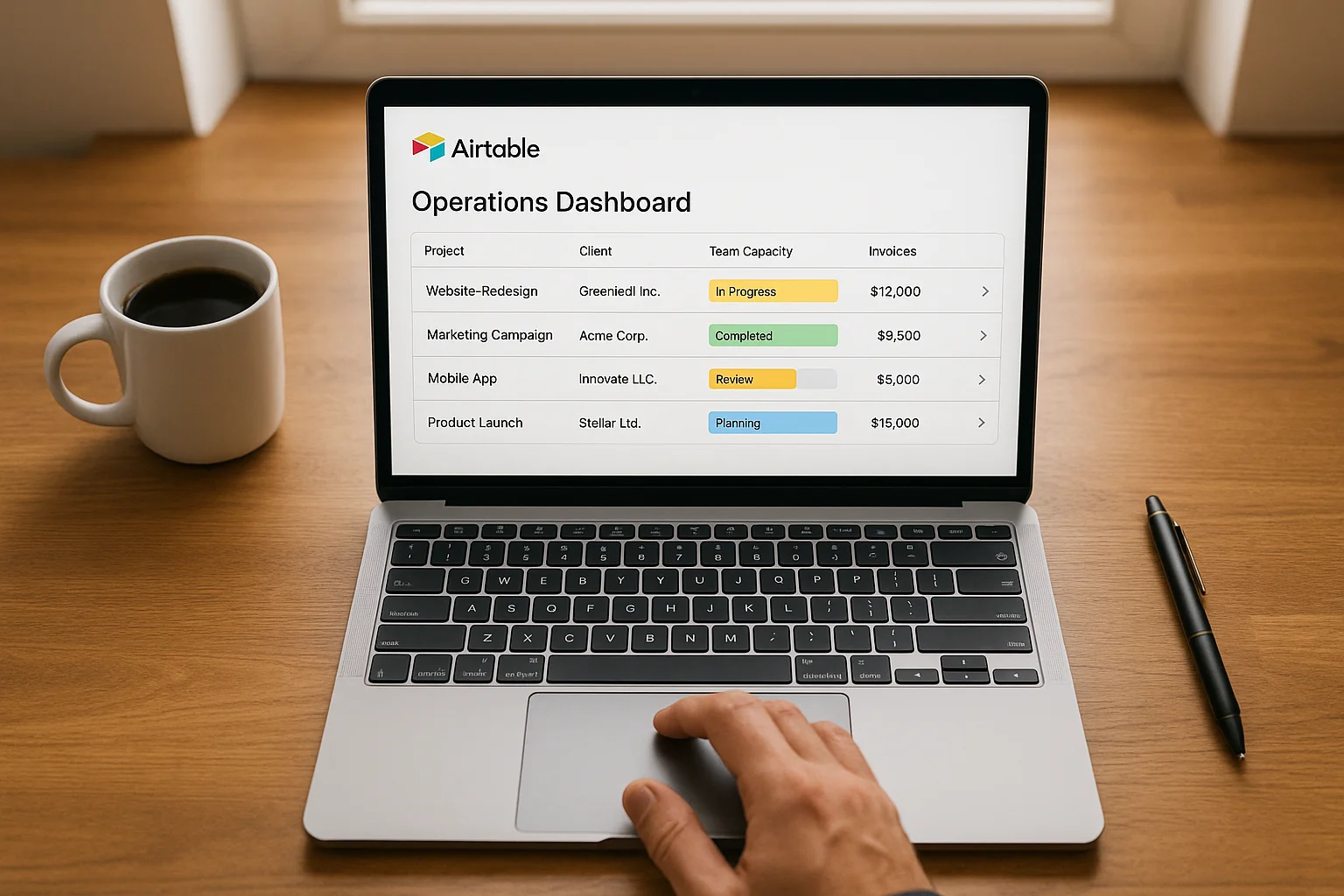
We built them a unified Airtable base with five linked tables — clients, projects, tasks, team members, and invoices. Connected to it via n8n: time entries pulled automatically from their time tracking tool, invoice status synced from Xero, project status updated when tasks were completed in their PM tool.
The result was one dashboard that showed every active client, every project's delivery status, every team member's current capacity, and every outstanding invoice — all updated automatically throughout the day. No manual data entry. No version conflicts. No "which spreadsheet is the current one" conversations.
Setup took 3 weeks. The team adopted it immediately because it was simpler than what it replaced, not more complex.
What the n8n automation layer does
The dashboard itself is just a display layer. The automation layer is what keeps it accurate without human effort. Specifically:
- Pulls time entries from Harvest or Toggl every hour and updates team capacity figures
- Syncs invoice status from Xero daily — marks invoices as paid when Xero confirms payment
- Updates project status when all tasks in a milestone are completed in Asana or ClickUp
- Sends a Monday morning digest to each team member showing their active projects and upcoming deadlines
- Alerts the director when a project goes overdue or a capacity threshold is breached
Each of these is an n8n workflow running on a schedule or triggered by an event. None of them require anyone to update anything manually.
How long it takes and what it costs
A focused Airtable + n8n internal dashboard — replacing 3–6 spreadsheets for a team of 5–15 people — typically takes 2–3 weeks to build and costs significantly less than a year of the SaaS tools it replaces.
A custom web application with more complex requirements takes 4–8 weeks depending on scope.
The ongoing cost after build is minimal: Airtable's team plan, n8n cloud or a self-hosted instance, and your existing data source tools. No new per-seat SaaS licences.
When not to build a custom dashboard
If your team is under 5 people and your operation is straightforward, a well-configured off-the-shelf tool (Notion, ClickUp, or a single Airtable base without custom automation) is probably the right call. The overhead of a custom build isn't worth it at very small scale.
If your data is genuinely complex and you have specific compliance or integration requirements, you might need a more substantial application. We can scope that too.
For most growing agencies and small ops teams that have hit the wall with spreadsheets, the custom dashboard is the right answer — and it's more accessible to build than most people assume.
If you want to talk through what this looks like for your team's specific situation, book a free strategy call. We'll map your current data landscape and show you what a single-source-of-truth system would look like.