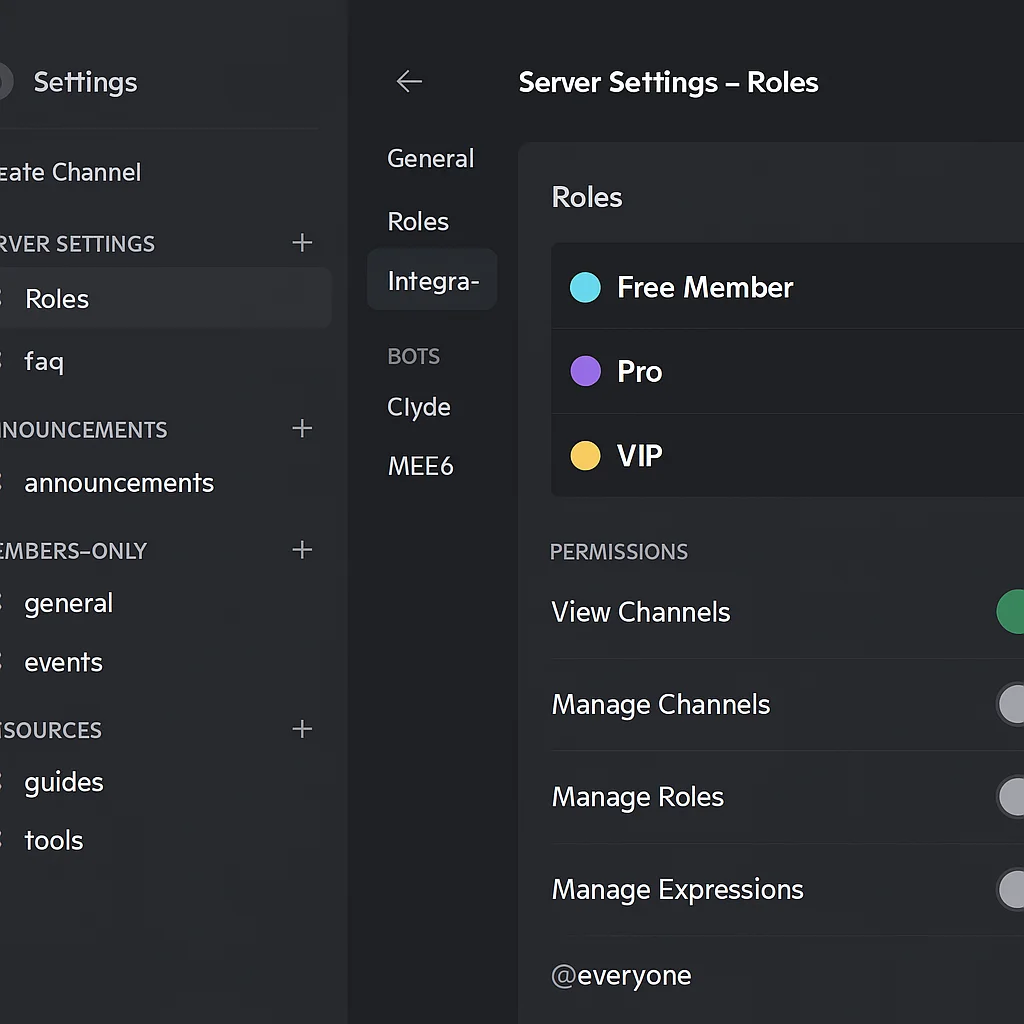
Most Discord communities are set up once — channels created, a couple of roles added — and then left to accumulate clutter as the community grows. What starts as a clean server becomes a maze of unmaintained channels, inconsistent permissions, and bots that half-work.
A professionally built Discord server is a different thing. Here's what it actually involves.
Channel architecture that scales
The most common mistake in Discord server setup is creating channels reactively — adding a new one every time someone asks for it. Within six months, you have 40 channels, most of which see no activity, and new members have no idea where to start.
A properly structured server uses a deliberate channel hierarchy from day one. Categories group channels by purpose. Access is tiered — free members see a different set of channels than paid members. The number of visible channels for any given member is kept to what they actually need.
A typical structure for a paid community:
- Start Here — read-only rules, how to navigate the server, how to get your role
- Announcements — owner-only posting, member read access
- Community — general chat, introductions, off-topic
- Members Only — visible only to paid tiers, gated behind role assignment
- Resources — links, files, pinned content organised by topic
- Direct Support — ticket system or dedicated help channel
This structure works at 50 members and at 5,000. The categories don't change — content within them grows.
Role configuration and permission logic
Roles in Discord control what members can see and do. A well-configured role system is the difference between a community that feels premium and one that feels like a public chat room.
For a paid community with multiple tiers, the role setup looks like this:
- Each paid tier has a corresponding role (Starter, Pro, VIP)
- Each role has specific channel access — higher tiers see everything lower tiers see, plus additional channels
- The bot role sits at the top of the hierarchy so it can assign and remove all member roles
- A verification or join role exists to prevent unverified users seeing any member content before completing onboarding
Permission logic is set at the category level, not on individual channels. This means adding a new channel to a category automatically inherits the right permissions — no manual configuration needed each time.
Bot integration and automation
A professional Discord server has bots doing the work that shouldn't require a human. The core integrations:
Automation bot — connected to n8n or Make, handles payment-triggered role assignment from Stripe, sends welcome DMs, fires onboarding sequences, and removes access on cancellation.
Moderation bot — handles spam detection, auto-timeout for prohibited content, and logs moderation actions to a private channel for review.
Scheduled messaging — posts weekly announcements, engagement prompts, and community updates automatically at set times.
Onboarding flow for new members
When a new member joins, the experience should be immediate and clear. A properly built onboarding flow:
- Member joins and lands in a read-only welcome channel — rules, orientation, and a button or command to begin verification
- If paid: Stripe payment triggers automatic role assignment via n8n — member gets access within seconds
- Automated welcome DM sent with orientation guide and first action step
- Member is introduced in a welcome channel automatically
- 24-hour follow-up DM checking they've found what they need
This sequence runs for every member without exception. No one falls through the gap because the owner was busy when they joined.
What a setup service covers
When we build Discord servers for clients at ShipWorkflow, the setup includes full channel architecture, role configuration, permission logic, bot installation and configuration, Stripe integration for paid access, onboarding automation, and a handoff walkthrough so the client understands how everything works.
Most setups are complete within a week. If you have an existing server that needs restructuring rather than building from scratch, we audit what's there and rebuild the parts that aren't working.
Book a free strategy call to talk through what your server needs.